Your personal Dashboard is where you can track all your learning activity, gamification progress, and community engagement.
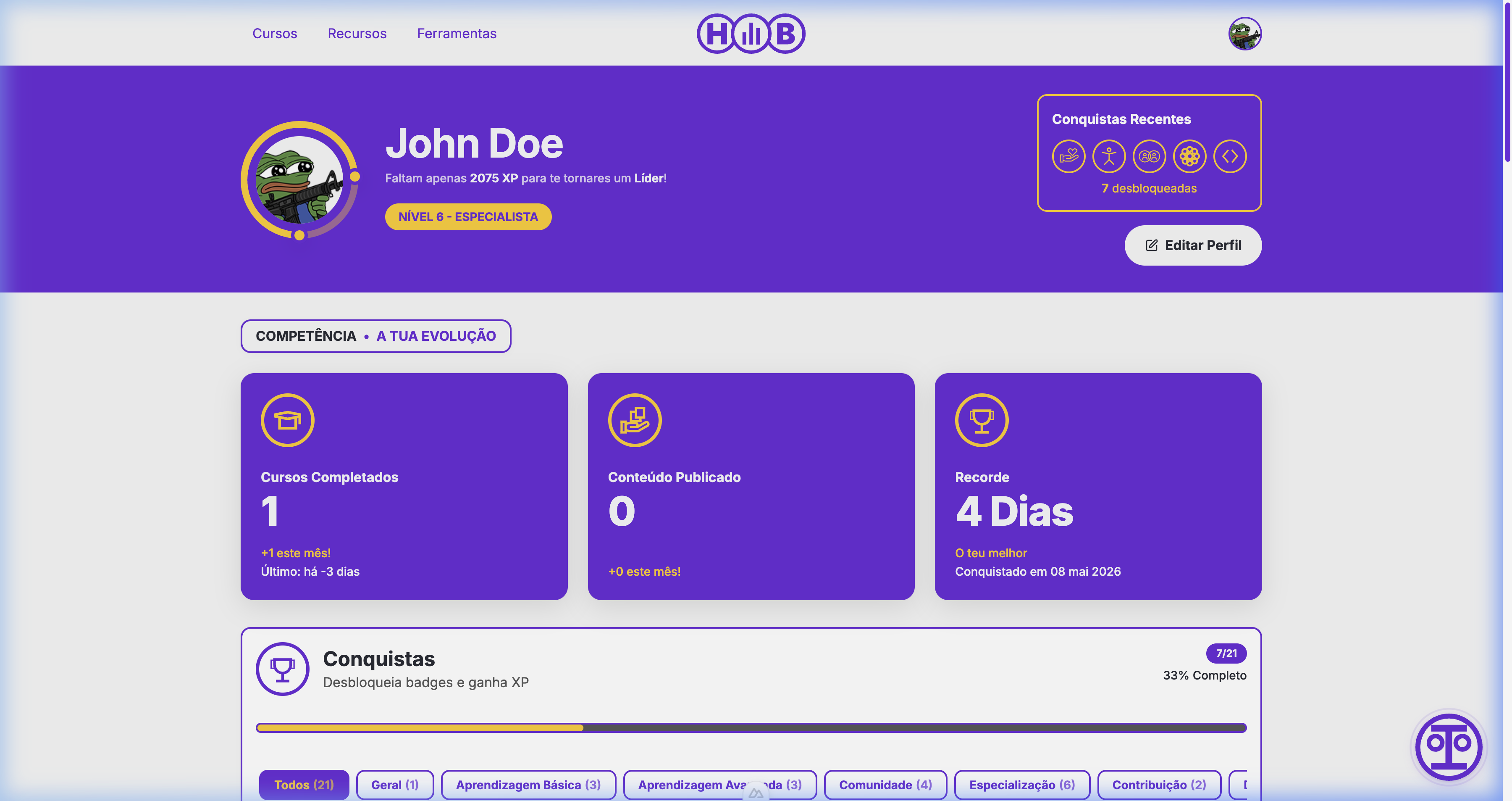
Dashboard Overview
The Dashboard is divided into several sections:
Profile Header
At the top, you'll see:
- Your avatar — Customizable profile picture
- Name and level — Your current gamification level
- XP progress — How much XP you need for the next level
- Recent achievements — Quick view of your latest badges
Stats Cards
Three key metrics at a glance:
- Courses Completed — Total courses finished, with monthly trend
- Content Published — Resources or tools you've contributed
- Streak Record — Your longest consecutive login streak
Gamification System
Hub Digital features a comprehensive gamification system to encourage engagement, track progress, and celebrate contributions.
Experience Points (XP)
You earn XP for various activities on the platform:
- Daily Login Streak: Logging in consecutively increases your streak, granting daily XP rewards.
- Course Enrollment & Progress: Enrolling in courses and completing modules/quizzes.
- Course Completion: Completing a full course grants a massive XP boost.
- Community Contributions: Suggesting verified resources or tools that get approved.
- Social Engagement: Participating in forums or coordinating/managing course sections.
Login Streaks
Your Streak Record tracks consecutive days of active learning on Hub Digital. A dedicated backend hook (login-streak-hook) runs during user authentication to evaluate your streak. Maintaining a streak:
- Rewards you with a streak counter displayed on your profile.
- Unlocks streak-related achievements (e.g., "7-Day Streak").
- Incentivizes daily interaction with the platform.
Levels and Ranks
As you accumulate XP, you automatically rank up. Each level has a specific title (e.g., Enthusiastic Beginner, LMS Specialist, Elite Contributor) and unlocks new platform abilities, such as the capability to submit resources and tools directly for validation once you reach Level 6.
Achievements and Badges
Achievements represent specialized badges unlocked by reaching learning or community milestones. These are divided into categories:
- Basic Learning: Initial course enrollment and module completion.
- Advanced Learning: Completing multiple courses or achieving high quiz scores.
- Community: Social interaction milestones (participating in discussions, inviting colleagues to the platform).
- Specialization: Mastering specific topics (e.g., Python programming, pedagogical methods).
- Contribution: Submitting resources or tools to the catalog (e.g., Swiss Army Knife badge for submitting 3 tools).
- Challenges (Coming Soon): Completing limited-time weekly or monthly platform challenges.
Learning Network & Leaderboards
The Learning Network tab connects you with the broader Hub Digital community, highlighting top learners and active contributors.
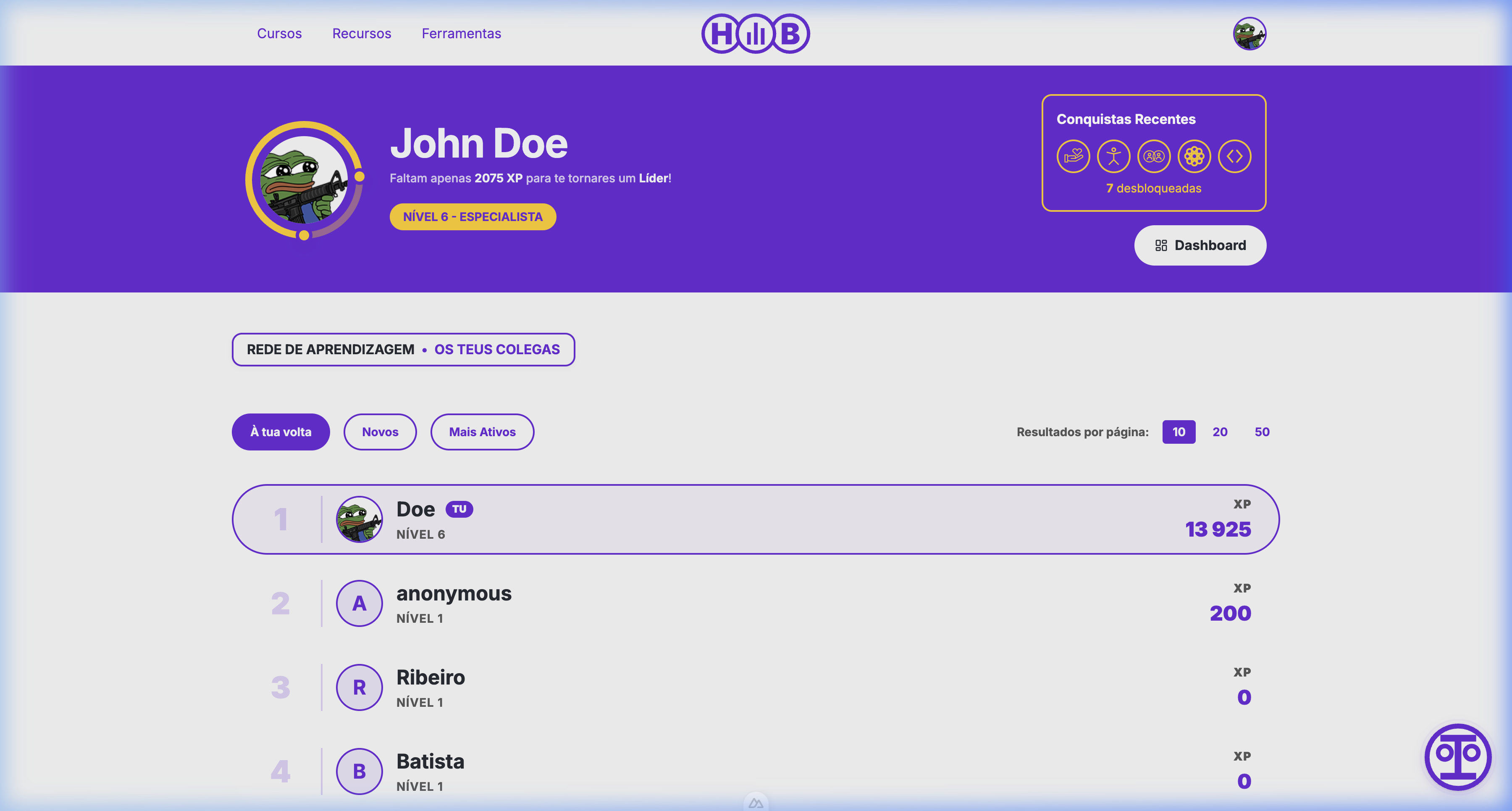
The Leaderboard
The Leaderboard ranks users based on their total experience points (XP) or active streaks. You can filter and sort the leaderboard using the following tabs:
- Around You: Shows users immediately above and below your current rank, encouraging friendly competition.
- New Users: Lists recently registered members, helping you find and discover new colleagues.
- Most Active: Ranks top contributors based on published resources, tools, and completed courses.
You can customize the leaderboard display to show 10, 20, or 50 entries per page. Clicking on any user in the leaderboard takes you to their public profile, where you can view their badges and professional background.
Active Courses
The "Define Your Path" section shows your currently enrolled courses with:
- Course thumbnail and name
- Enrollment date
- Completion progress
- Quick link to continue learning
Favorite Courses
Save courses you're interested in for later by marking them as favorites from the course catalog.