The Course Catalog is the core of Hub Digital, offering courses from various Portuguese higher education institutions.
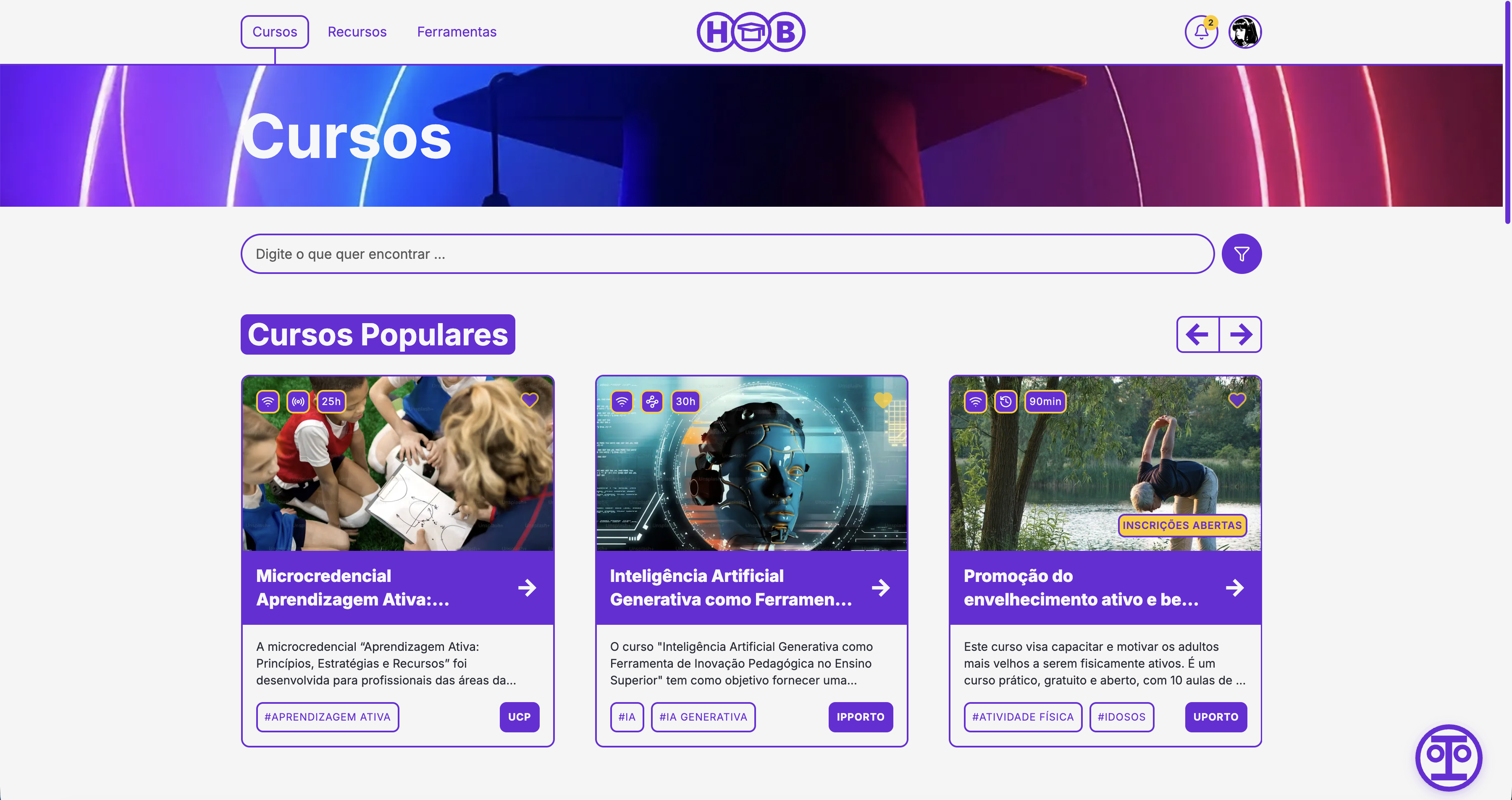
Browsing Courses
Search & Filter
The catalog page provides powerful search capabilities:
- Text Search — Type keywords in the search bar to find courses by name, description, or keywords
- Filter Panel — Click the filter icon to narrow results by:
- Knowledge area
- Education level
- Format (online, blended, etc.)
- Mode (synchronous, asynchronous)
- Institution
Course Cards
Each course card shows at a glance:
- Course image — Visual representation
- Duration — Total workload in minutes
- Format indicator — Online, blended, or in-person
- Name and description — Course title and brief summary
- Institution — The offering institution
Course Details
Click a course card to view the full details page, including:
- Summary — Detailed course overview
- Objectives — Learning goals and outcomes
- Structure — Modules and curriculum breakdown
- Requirements — Prerequisites and recommended knowledge
- Activities — Types of activities and assessments
- Technical Details — Platform requirements and technical specifications
- Bibliography — Recommended reading and references
- Accessibility — Accessibility features and accommodations
- Reviews — Community ratings and feedback
Enrolling in a Course
- Navigate to the course details page
- Click the Enroll button
- The course will appear in your Dashboard under "My Courses"
- Follow the course structure and complete activities
- Upon completion, your progress is tracked and you earn XP
Tracking Progress
Enrolled courses appear in your Dashboard where you can:
- View completion status
- Resume where you left off
- See estimated remaining workload
- Track XP earned from the course